
Nospar Studio

Service

Service, Web Development

React Js Development

The Ultimate Guide to Modern React JS Development In the fast-moving landscape of web technology, front-end software engineering has seen remarkable growth, with React JS Development standing firmly at the center of this revolution. Created and maintained by Meta alongside a vast open-source community, React powers some of the most complex, high-traffic web platforms on the internet. Whether you are an aspiring software engineer building your first interactive interface or an enterprise architect scaling a complex web product, mastering contemporary React JS Development requires a deep understanding of modern framework architectures, server-side rendering patterns, and performance optimization techniques. In this comprehensive guide, we will break down every essential dimension of building modern front-end applications—exploring the transition from client-side single-page apps to React Server Components, state management strategies, production workflows, and crucial performance optimization rules. 1. The Architectural Evolution of React JS Development To appreciate where modern front-end creation stands today, it is helpful to look back at how drastically the ecosystem has evolved. In its early days, React JS Development focused primarily on client-side rendering (CSR). Developers constructed single-page applications (SPAs) where a minimal HTML shell was sent to the browser, and heavy JavaScript bundles executed on the client device to build the DOM tree. While this client-side model brought fluid page transitions and rich dynamic interactions, it introduced real challenges around initial page load times, large bundle sizes, and search engine optimization (SEO). Modern React JS Development addresses these pain points by shifting toward hybrid rendering architectures powered by React Server Components (RSC) and full-stack frameworks like Next.js and Remix. This evolution has elevated React JS Development from a simple user interface library into a full-stack, enterprise-grade development paradigm. 2. Core Foundations: React Server Components and Hooks Building high-performance, maintainable web products requires leveraging the core primitives provided by the modern React engine. Understanding these foundational building blocks is vital for anyone specializing in professional React JS Development. React Server Components (RSC) Server Components represent one of the most transformative updates in the history of React JS Development. RSCs execute exclusively on the server during rendering, allowing components to directly query databases or internal microservices without sending JavaScript code to the client browser. TypeScript By keeping heavy dependencies on the server, modern React JS Development drastically reduces JavaScript payload sizes, delivering sub-second initial page loads and better Core Web Vitals scores. Mastering Modern React Hooks For client-side interactivity, state management and side effects are managed through reactive functional hooks. Mastering state primitives is essential in daily React JS Development: 3. Selecting a Scalable State Management Strategy Writing clean component trees is easy; maintaining predictable data flow across hundreds of application routes requires deliberate architectural planning. Selecting a robust state management strategy is a core requirement in enterprise React JS Development. Architecture Strategy Tooling / Libraries Primary Best Use Case Performance & Complexity Profile Server State Management TanStack Query, SWR Caching asynchronous API responses, automated refetching Low setup complexity; eliminates redundant network traffic Global UI State Zustand, Redux Toolkit, Jotai Complex user preferences, shopping carts, multi-step forms Medium complexity; predictable state mutations across screens Context API Native React Context Static theme tokens, localized settings, auth state Low setup complexity; requires careful memoization to avoid re-renders Modern best practices in React JS Development emphasize separating server state (data fetched from external databases) from client state (local UI toggles). Offloading data-fetching caches to specialized tools like TanStack Query removes the need for overly complex global client stores. 4. Modern Engineering Frameworks: Next.js and Beyond While React remains a view-layer library at heart, production React JS Development almost universally relies on opinionated full-stack frameworks to manage routing, build bundling, asset optimization, and server-side execution. Next.js App Router Next.js has become the default framework for production React JS Development. Its App Router architecture leverages Server Components, file-system routing, server actions, and dynamic route handlers out of the box, offering a seamless developer experience for building fast, SEO-friendly web applications. Remix / React Router Remix focuses on standard web fundamentals, HTTP caching protocols, and progressive enhancement. By leveraging native browser forms and web APIs, Remix provides another powerful environment for custom React JS Development projects. 5. Standardized Production Development Workflow Transforming an initial product requirement into a published, high-traffic web application demands a disciplined, step-by-step engineering pipeline. Below is the standard workflow adopted by professional teams engaging in React JS Development: 1.1. Product Requirements & Design Tokens:Design systems and state architecture. Establish component hierarchies, design tokens, TypeScript interface models, and choose rendering strategies before writing production code. 2.2. Project Initialization & Tooling:Configure workspace and tooling. Initialize a modern framework workspace (e.g., Next.js), set up TypeScript configurations, and enforce code quality rules using ESLint and Prettier. 3.3. Data Infrastructure & Server Actions:Implement network layer and database connection. Set up database ORMs (such as Prisma or Drizzle), construct server actions, and configure API endpoints with input validation libraries like Zod. 4.4. UI Construction & Component Assembly:Component construction and reactive state. Build modular, accessible UI components using Tailwind CSS or Radix Primitives, bind reactive state hooks, and configure routing structures. 5.5. Quality Assurance & Production Release:Automated testing and edge deployment. Execute unit tests via Vitest, run end-to-end browser tests using Playwright, profile runtime performance, and deploy to edge networks like Vercel or AWS. Following this structured sequence keeps React JS Development projects on schedule while ensuring that high quality and reliability standards are maintained throughout the software lifecycle. 6. Crucial Best Practices: Performance, Security & Accessibility Building fast, secure web software requires strict adherence to industry standards and proactive runtime optimization. Executing proper React JS Development means prioritizing three key quality metrics: 1. Optimize Component Render Cycles Unnecessary component re-renders directly degrade user experience. Modern React JS Development utilizes compiler optimizations (such as the React Compiler) alongside explicit memoization techniques (useMemo, useCallback, and React memo) to prevent expensive subtree re-renders during state updates. 2. Implement Front-End Security Standards Handling sensitive user interactions requires strict security measures: 3. Build for Universal Accessibility (a11y) Accessibility should never be an
Service, Web Development

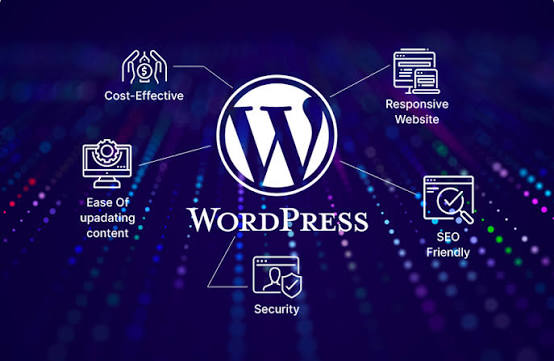
WordPress Development

The Paradigm Shift in WordPress Architecture Historically, custom web creation in the WordPress ecosystem meant modifying monolithic PHP template files, writing custom WP_Query loops, and styling themes with massive, unstructured CSS files. Today, the platform favors modular, block-first methodologies. The primary catalyst for this shift was Full Site Editing (FSE) and the Gutenberg block editor. Rather than treating headers, footers, sidebars, and main content as disconnected PHP files, modern software design treats every user interface component as a reconfigurable block. This evolution has fundamentally elevated WordPress development by standardizing how design tokens, layout parameters, and component behaviors are declared across projects. 2. Key Pillars of the Modern Tech Stac Building scalable applications requires leveraging the core tools and APIs provided by the native platform. Understanding these foundational pillars is essential for anyone specializing in professional WordPress development. Global Design Systems with theme.json The central nervous system of any modern block theme is the theme.json configuration file. It replaces thousands of lines of custom CSS by establishing a centralized, machine-readable design system. Through theme.json, developers can define color palettes, fluid typography scales, CSS Grid/Flexbox layouts, and default block settings: JSON The Interactivity API One of the most impactful innovations in recent WordPress development is the Interactivity API. It allows developers to create rich, interactive client-side experiences—such as instant product filters, live search drawers, and dynamic accordions—without adding heavy external JavaScript frameworks like React or Vue to the front-end bundle. JavaScript Using declarative DOM directives directly inside block markup (data-wp-interactive, data-wp-bind, data-wp-on–click), developers deliver app-like speed while maintaining light page weights. 3. Custom Block Engineering: From Server-Side to React While core blocks cover standard publishing needs, complex business requirements often demand custom blocks. Modern WordPress development approaches block construction through two primary methodologies: Method Stack & Syntax Best Use Case Performance Profile Native React Blocks JSX, @wordpress/scripts, ESNext, block.json High-volume SaaS, complex UI components, interactive web apps Extremely lightweight; optimal client-side rendering Dynamic PHP / Server Blocks PHP callback rendering, @wordpress/interactivity Content querying, live database feeds, secure forms Highly secure; direct access to server data and caching ACF / Field Frameworks PHP templates + Advanced Custom Fields Rapid prototyping, agency client builds, legacy migrations Medium; fast development time with minor overhead When building custom blocks natively, defining a block.json file is mandatory. It metadata-registers scripts, styles, attributes, and render templates, ensuring optimal asset loading only on pages where the block is actually rendered. 4. Decoupled and Headless Architectures As enterprise requirements expand beyond traditional website delivery, headless WordPress development has emerged as a mainstream solution for omni-channel publishing. In a decoupled architecture, WordPress serves exclusively as the content management backend and editorial interface. The front-end user experience is powered by modern JavaScript frameworks such as Next.js, Nuxt, or Remix, communicating via the native REST API or GraphQL (WPGraphQL). Benefits of Headless Implementations Adopting a decoupled stack represents a sophisticated branch of modern ideal for brands demanding maximum security, sub-second load times, and custom user experiences. 5. Standardized Enterprise Development Workflow Successful software engineering relies on reproducible, automated deployment pipelines. Manual FTP uploads and direct database editing on live servers belong in the past. Professional WordPress development teams follow a structured continuous integration and delivery (CI/CD) lifecycle: 1.1. Local Container Initialization:Local environment and version control setup. Set up isolated Docker environments using tools like LocalWP, DDEV, or Lando, ensuring local PHP and database versions match remote production servers WordPress development. 2.2. Composer & NPM Package Management:Dependency management and coding standards. Manage core plugins, themes, and PHP dependencies using Composer, while enforcing WordPress Coding Standards (WPCS) via PHP_CodeSniffer and ESLint. 3.3. Automated Testing & Asset Bundling:Block compilation and automated testing Compile JS/CSS assets using @wordpress/scripts, run unit tests via PHPUnit, and perform automated end-to-end testing using Playwright. 4.4. Continuous Integration Pipeline:Staging review and migration verification WordPress development. Push code updates to GitHub or GitLab. Trigger automated workflows to deploy assets to staging environments for regression and QA testing. 5.5. Production Release & CDN Flushing:Zero-downtime deployment and cache invalidation. Deploy verified code to production via automated blue-green pipelines, run database migrations via WP-CLI, and clear edge CDN caches. Following this structured pipeline ensures that modern WordPress development projects remain stable, secure, and predictable throughout long-term maintenance cycles. 6. Performance Optimization, Security, and Code Quality Building high-performing, secure websites requires strict adherence to industry standards and proactive runtime optimization. Performance Best Practices Security Enforcement Security must be baked into every stage of custom WordPress development: PHP Conclusion The discipline of custom WordPress development has matured into an innovative, highly performant software domain. By moving past legacy coding patterns and embracing Full Site Editing, custom block development, reactive JavaScript APIs, and automated CI/CD workflows, developers can build web applications that deliver unmatched flexibility, lightning speed, and enterprise reliability. Whether you are designing a custom block theme or architecting a headless commerce platform, staying aligned with modern platform standards will elevate your engineering workflows and future-proof your digital investments.

Service, App Development

Flutter App Development

The Ultimate Guide to Modern Flutter App Development in 2026 The cross-platform software landscape has undergone a remarkable transformation, and at the center of this multi-device revolution is Flutter app development. Created by Google, Flutter allows engineering teams to compile high-performance, visually consistent applications for iOS, Android, web, desktop, and embedded systems from a single codebase. Whether you are a startup founder aiming to launch a fast minimum viable product (MVP) or an enterprise architect scaling a complex digital suite, mastering modern Flutter app development requires a firm grasp of state-of-the-art rendering engines, reactive architectures, and performance optimization techniques. In this comprehensive guide, we will unpack every dimension of multi-platform application building—exploring rendering innovations like Impeller, WebAssembly compilation, clean software architecture, production deployment workflows, and emerging trends like AI-driven generative interfaces. 1. Why Flutter Dominates the Cross-Platform Landscape To understand why Flutter app development has become the primary strategy for global product teams, one must examine the limitations of legacy cross-platform tools. Older frameworks relied heavily on JavaScript bridges or web-view wrappers to communicate with native hardware APIs. These translation layers frequently caused UI micro-stutters, delayed touch responses, and excessive battery consumption on mobile hardware. Flutter disrupted this paradigm by rendering every pixel directly using its own custom graphics pipeline. Key advantages include: These fundamental architectural breakthroughs make Flutter app development uniquely suited for building unified multi-screen experiences without compromising on execution speed. 2. Core Foundations: Dart and the Impeller Engine When embarking on a project centered around Flutter app development, Dart provides the underlying strength, syntax, and execution safety. The Power of Dart Dart was designed specifically for client-side user interfaces. It offers both Just-In-Time (JIT) compilation during development—enabling Flutter’s famous State-Assisted Hot Reload—and Ahead-Of-Time (AOT) compilation for production binaries. Dart’s sound null-safety eliminates entire categories of runtime null pointer exceptions, ensuring high application stability. The Impeller Rendering Revolution Historically, Flutter relied on the Skia graphics engine, which occasionally suffered from shader compilation “jank” (animation stutters during initial rendering). In modern builds, Flutter uses Impeller, a custom-built rendering engine designed from the ground up for modern hardware graphics APIs like Metal on iOS and Vulkan on Android. Impeller pre-compiles all shaders during application build time. This ensures predictable, silky-smooth 60fps to 120fps UI rendering across complex page transitions, translucent blurs, and vector animations. 3. Selecting a Scalable Architecture and State Management Writing functional widgets is easy; maintaining code quality across hundreds of screens requires clear architectural boundaries. Selecting a robust state management pattern is essential in enterprise Flutter app development. Architecture Pattern Core Characteristics Ideal Use Cases BLoC (Business Logic Component) Enforces strict separation of UI and logic via reactive Streams; highly predictable Enterprise banking, complex e-commerce, and multi-user platforms Riverpod Compile-safe, testable state management; does not depend on the Flutter widget tree Mid-to-large consumer apps requiring decoupled dependency injection Provider Simple, lightweight wrapper around InheritedWidget; easy learning curve Prototypes, utility applications, and MVP builds Layered Separation of Concerns Regardless of state management choice, enterprise software should follow a three-tier clean architecture: A clear separation of concerns guarantees that business logic can be unit-tested thoroughly without requiring physical devices or simulator instances. 4. A Production Workflow for Enterprise Apps Transforming a product vision into a polished store listing demands a structured engineering methodology. Here is a step-by-step pipeline used in professional Flutter app development: 1.1. Product Requirements & Design Tokens:Design systems and state architecture. Establish component libraries, Material 3 / Cupertino styling tokens, API specifications, and choose a state management strategy before writing production code. 2.2. Workspace Setup & Package Organization:Configure IDE and workspace. Set up Flutter SDK environments, configure IDE extensions, and structure your workspace using modular packages or monorepos for feature separation. 3.3. Data Infrastructure & Local Caching:Network and persistent storage. Implement REST or GraphQL API clients, construct data mappers, and configure offline encrypted storage solutions. 4.4. UI Construction & Screen Assembly:Widget trees and state binding. Build declarative composable widget hierarchies, bind reactive state controllers, and manage deep-linking navigation routes. 5.5. Quality Assurance & Automated Delivery:Profiling, CI/CD, and store publication. Execute unit, widget, and integration tests, profile memory and GPU performance via DevTools, and automate build releases using Fastlane or GitHub Actions. Adhering to this structured sequence keeps software projects on schedule while ensuring that strict quality standards are maintained throughout the delivery lifecycle. 5. Crucial Best Practices: Performance, Security, and Accessibility Adhering to strict guidelines is necessary for successful Flutter app development as apps scale in user base and feature depth. 1. Optimize UI Build Execution In Flutter, the build() method should be kept pure and lightweight. Avoid instantiating heavy objects or executing async business logic directly inside widget build functions. Use const constructors aggressively across static widget subtrees to allow the framework to skip unnecessary re-renders during state updates. 2. Implement Enterprise Security Data encryption and key security play a critical role in modern Flutter app development. 3. Design for Universal Accessibility Ensure your app supports screen readers like TalkBack and VoiceOver by wrapping complex graphic elements in Semantics widgets. Provide dynamic font scaling options and ensure adequate color contrast ratios to make your software accessible to all users. 6. Future Trends: Generative UI, Edge AI, and Spatial Computing The horizon for Flutter app development is expanding rapidly into AI and spatial computing. Generative UI and dynamic layouts represent the next frontier in Flutter app development, shifting the focus from static screens to adaptive experiences. Conclusion Flutter has evolved far beyond a simple cross-platform SDK into a mature, universal UI canvas. Powered by the Impeller rendering engine, WebAssembly browser execution, and the Dart language, developers can deliver native-level software across every major platform without duplicating effort. By maintaining clean architectural boundaries, prioritizing runtime performance, and adopting modern deployment workflows, prioritizing modern Flutter app development principles ensures your digital products remain competitive, scalable, and future-proof.

Service, App Development

Android App Development

The mobile software industry moves at a relentless pace, and at the center of this dynamic global network is Android app development. Powering more than 70% of smartphones across the globe, the Android operating system offers developers and enterprises an unparalleled opportunity to reach billions of active users. Whether you are a software engineer building your first mobile project or an enterprise architect scaling a complex product, mastering modern Android app development requires a firm grasp of state-of-the-art tools, reactive architectures, and performance optimization techniques. In this comprehensive guide, we will unpack every aspect of building enterprise-grade mobile software today—exploring the transition from imperative code to declarative UI, modern software architecture patterns, production workflows, and emerging technologies like edge AI. 1. The Evolution of the Android Ecosystem To appreciate where mobile engineering stands today, it helps to understand how drastically the development landscape has changed over the past decade. In the early days, building mobile applications involved verbose Java code, complex XML layout inflation, manual fragment management, and fragile background threads. Today, Google and the open-source community have completely transformed Android app development into a streamlined, reactive, and developer-friendly experience. Key drivers behind this transformation include: These advancements have significantly lowered the friction involved in Android app development, enabling engineering teams to ship features faster while maintaining high reliability. 2. Core Tech Stack: Kotlin & Jetpack Compose Choosing the right technological foundation is the single most critical decision at the start of any new project. Modern native software relies on a unified, Kotlin-first stack. Kotlin as the Primary Language Kotlin is now the undisputed standard for native mobile creation. With built-in features like extension functions, sealed interface hierarchies, and smart casting, Kotlin empowers engineers to write clean, maintainable code. Concurrency in modern codebases is managed effortlessly via Kotlin Coroutines and reactive StateFlow streams, preventing main-thread blocking and UI stutter. Declarative UI with Jetpack Compose Jetpack Compose has redefined how user interfaces are constructed in modern Android app development. Rather than imperatively manipulating view trees, developers construct UI screens using composable functions that automatically re-render when underlying state changes. Kotlin By keeping state single-sourced and UI declarative, Jetpack Compose removes entire classes of state-synchronization bugs that previously plagued legacy codebases. 3. Scalable Architecture: Layers and Patterns Writing code that works is only half the battle; writing code that remains maintainable as your app grows requires deliberate architectural planning. Google recommends a layered, unidirectional data flow (UDF) approach. Architectural Layer Responsibility Key Frameworks & Tools UI Layer Emits UI state and processes user actions Jetpack Compose, ViewModel, StateFlow Domain Layer Encapsulates complex, reusable business rules Kotlin UseCases, Pure Functions Data Layer Fetches and caches data from network and DB Room, Retrofit, Ktor, DataStore Applying clean architectural principles ensures that UI logic remains completely decoupled from database management and network communication. This separation is crucial in professional Android app development because it allows developers to write isolated unit tests for business logic without needing emulator instances or physical hardware. 4. A Production Development Workflow Transforming an initial product concept into a published Play Store app requires a disciplined, step-by-step engineering pipeline. Below is the standard workflow adopted by high-performing teams: 1.1. Product Requirements & UI Tokens:Blueprint user journeys and design systems. Establish user stories, API contracts, and core Material Design 3 design tokens before initializing the codebase. 2.2. Environment & Dependency Setup:Configure IDE and dependency structures. Initialize Android Studio, set up Gradle version catalogs (libs.versions.toml), and inject core libraries using Hilt or Koin dependency injection. 3.3. Data Layer & Repository Pattern:Implement network API and local caching. Build REST/GraphQL network clients using Retrofit or Ktor, and configure offline-first caching via Room Database. 4.4. UI Layer with Jetpack Compose:Build stateful screen layouts. Construct composable screens, connect ViewModels via reactive state flows, and configure navigation routes. 5.5. Quality Assurance & Optimization:Automated testing and profiling. Run unit tests, execute Compose UI tests, profile memory usage, and generate baseline profiles for optimal startup speed. Adhering to this structured sequence keeps Android app development projects on schedule while ensuring that quality standards are maintained from day one. 5. Crucial Best Practices: Performance, Security & Edge AI As consumer expectations rise, building a functional app is no longer enough; software must be lighting fast, ultra-secure, and intelligent. Performance Optimization & Baseline Profiles App launch speeds and frame rates directly impact user retention. Modern Android app development techniques prioritize Ahead-Of-Time (AOT) compilation using Baseline Profiles. By recording critical user journeys (like app startup or list scrolling), Baseline Profiles guide the Android Runtime (ART) to pre-compile crucial code paths, reducing startup times by up to 30%. Data Privacy and Security Mobile applications handle sensitive user data daily. Security best practices dictate: Integrating Edge AI and On-Device Intelligence One of the most exciting shifts in modern Android app development is the integration of on-device machine learning. By leveraging frameworks like TensorFlow Lite, Google ML Kit, and Gemini Nano via MediaPipe Tasks, apps can execute real-time image processing, natural language understanding, and predictive analytics directly on the user’s hardware. Running AI locally minimizes server latency, protects user privacy, and allows smart features to function seamlessly without an active internet connection. 6. Navigating Device Fragmentation and Multiplatform Horizons A key challenge inherent to Android app development is the vast diversity of hardware target environments. Software must run reliably across thousands of device models, varying screen sizes, foldable displays, and custom manufacturer skins like Samsung One UI. Furthermore, modern engineering teams frequently leverage Kotlin Multiplatform (KMP). KMP enables teams to share core domain logic, data models, and network code across both iOS and Android platforms, while keeping the native UI intact. This hybrid approach offers the velocity of cross-platform development without sacrificing the uncompromising quality and performance native Android app development provides. Conclusion The ecosystem surrounding Android app development has reached a powerful level of maturity. By embracing Kotlin, declarative UI with Jetpack Compose, robust architectural principles, and on-device AI capability, developers can craft world-class software that scales effortlessly. Whether you are building a consumer

Scroll to Top